How Should Chamber Temperature Be Investigated for PEEK Printing?
PEEK prints keep warping despite using a raft? These repeated failures are frustrating when simple fixes don't work. We find the solution is a systematic investigation of the chamber environment.
To properly investigate chamber temperature for PEEK printing, you should map the thermal uniformity across the build volume, compare cooling rates at different part surfaces, and run controlled trials where only the chamber temperature is changed. This data-driven approach qualifies the truly usable printing region.
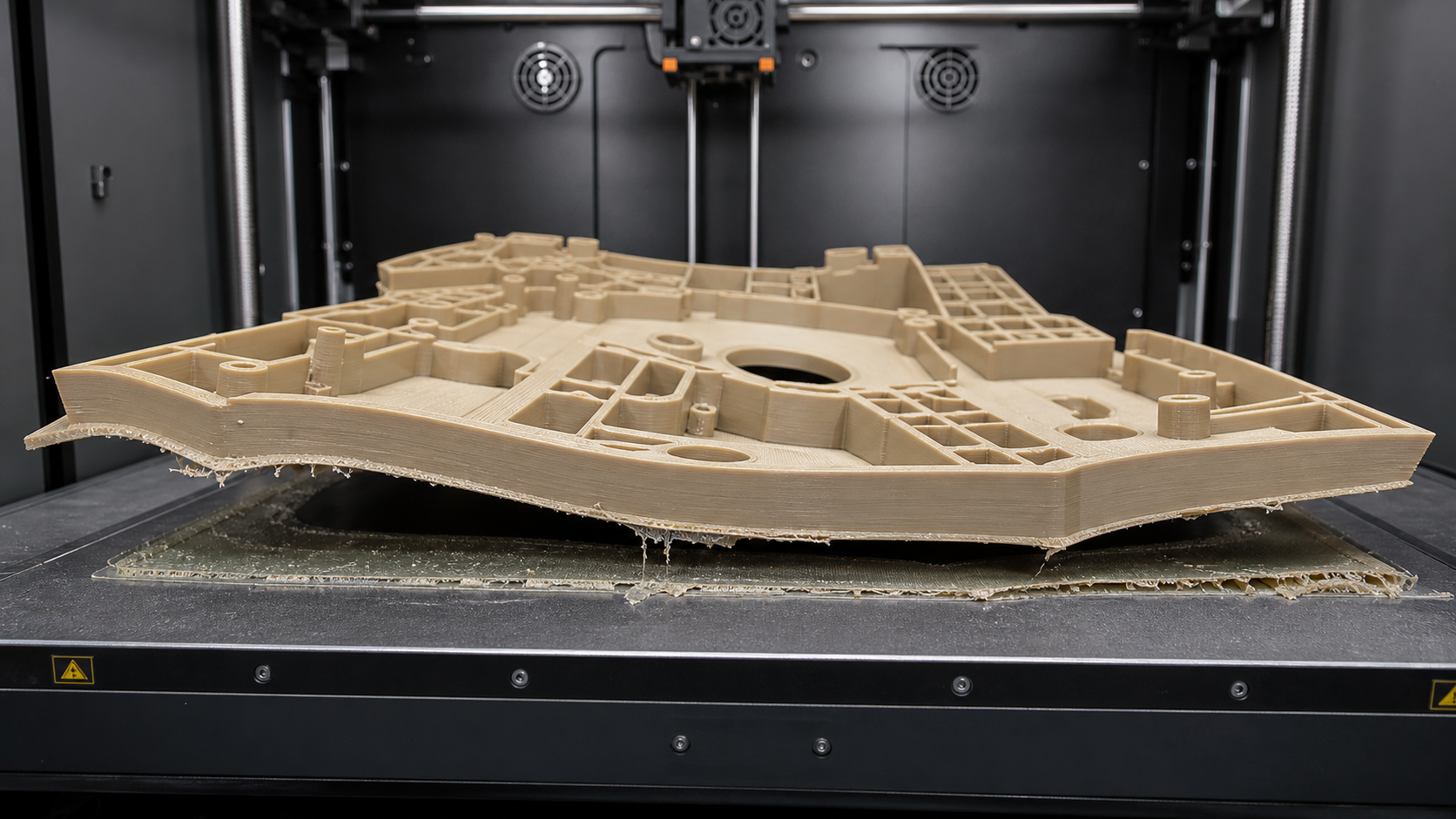
We would not assume that a brim and raft will resolve repeated PEEK bed-adhesion and warping failures. Instead, we would look closer at the printer's environment. We would examine chamber uniformity and cooling rate together. We use controlled chamber trials to make printer qualification an evidence-based decision. We don't rely only on a polymer name. We treat this discussion as a set of ideas we've found useful. We would always independently confirm any proposed remedy for the specific PEEK grade and application. Let's explore the steps we would take to understand and control the thermal environment for successful PEEK printing.
Mapping Chamber Temperature Around the Build Volume?
Your printer's display shows a stable chamber temperature, but parts still fail in certain spots. This happens because the setpoint isn't the whole story; cold spots are likely present.
To map the chamber temperature, place multiple independent thermocouples at various X, Y, and Z locations within the build volume. Record the temperatures during a full heat-up and mock print cycle to identify significant hot and cold spots that your machine's single sensor cannot see.
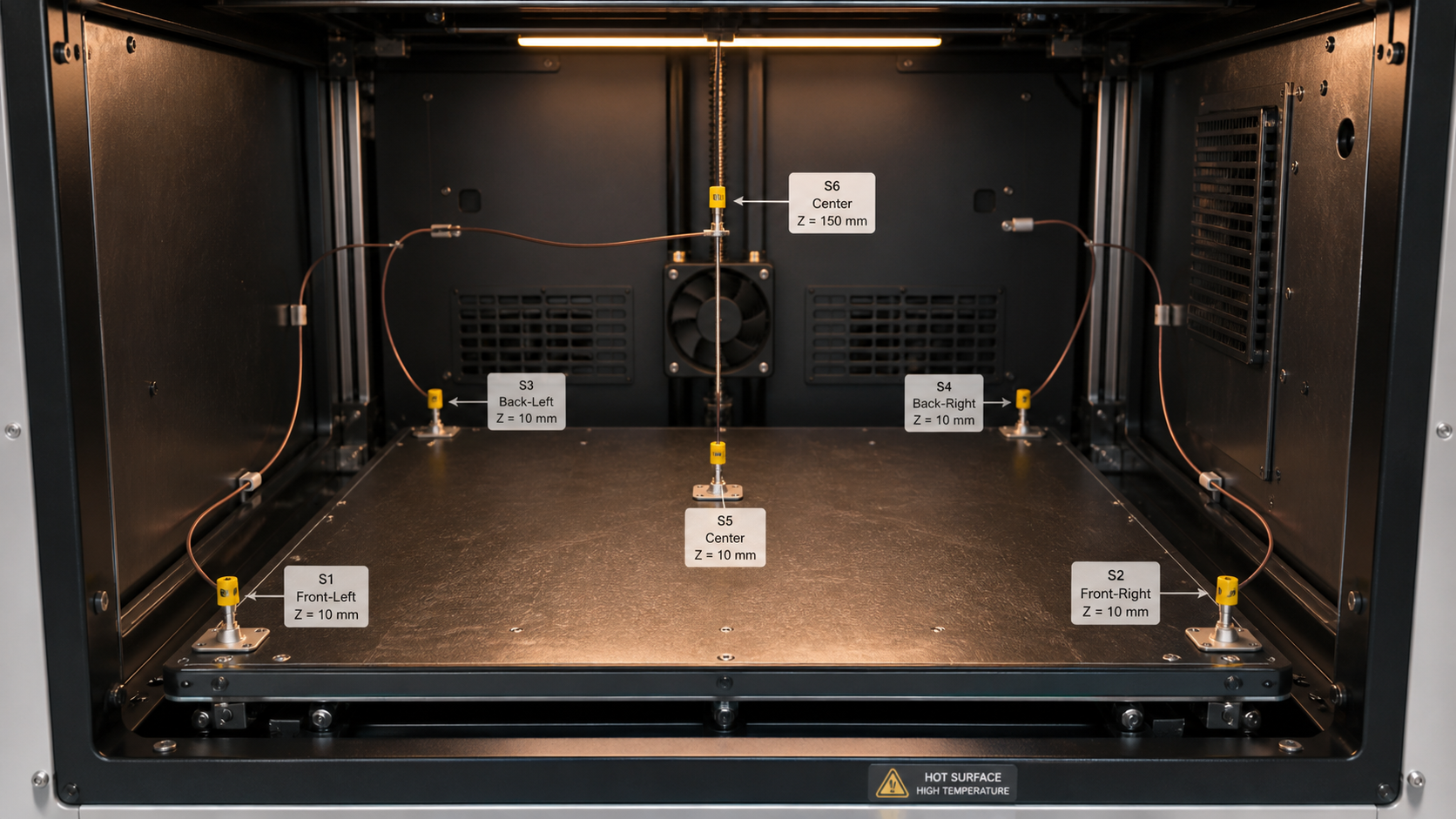
A printer's built-in sensor usually reports the temperature from only one location. This doesn't capture the reality of the entire build volume. Convection currents, proximity to heaters, and drafts from doors or seals can create temperature differences of 20°C or more. We would investigate this by creating a thermal map. This process turns assumptions into data, forming the foundation for reliable printing. We need to know where the chamber is actually at the target temperature.
Sensor Placement Strategy
We would place sensors in key areas to get a complete picture. The corners of the build plate are often cooler, so we would place sensors there. The center of the plate is also important. We would also measure at different heights, for example, 50 mm and 150 mm above the build plate, to understand how heat stratifies vertically.
Data Collection and Analysis
We would let the chamber preheat for at least an hour to stabilize. Then, we would record the temperature from each sensor every few minutes during a simulated print. The data can be organized in a table to easily spot inconsistencies.
| Sensor Location | Height (Z-axis) | Average Stabilized Temperature (°C) | Deviation from Setpoint (120°C) |
|---|---|---|---|
| Front-Left Corner | 10 mm | 105°C | -15°C |
| Center | 10 mm | 118°C | -2°C |
| Back-Right Corner | 10 mm | 110°C | -10°C |
| Center | 150 mm | 122°C | +2°C |
This data shows us exactly where the problem areas are. The front-left corner is significantly cooler, making it a high-risk area for warping.
Comparing Cooling Rates Near Different Part Surfaces?
A part seems to print well, but then a sharp corner begins to lift off the bed. This is a sign of uneven cooling, which creates internal stress and causes deformation.
To compare cooling rates, use a thermal imaging camera or non-contact infrared thermometers aimed at different surfaces of a test print. Measure the temperature of the layer just printed versus older layers and sections near chamber walls to quantify the gradients that cause warping.
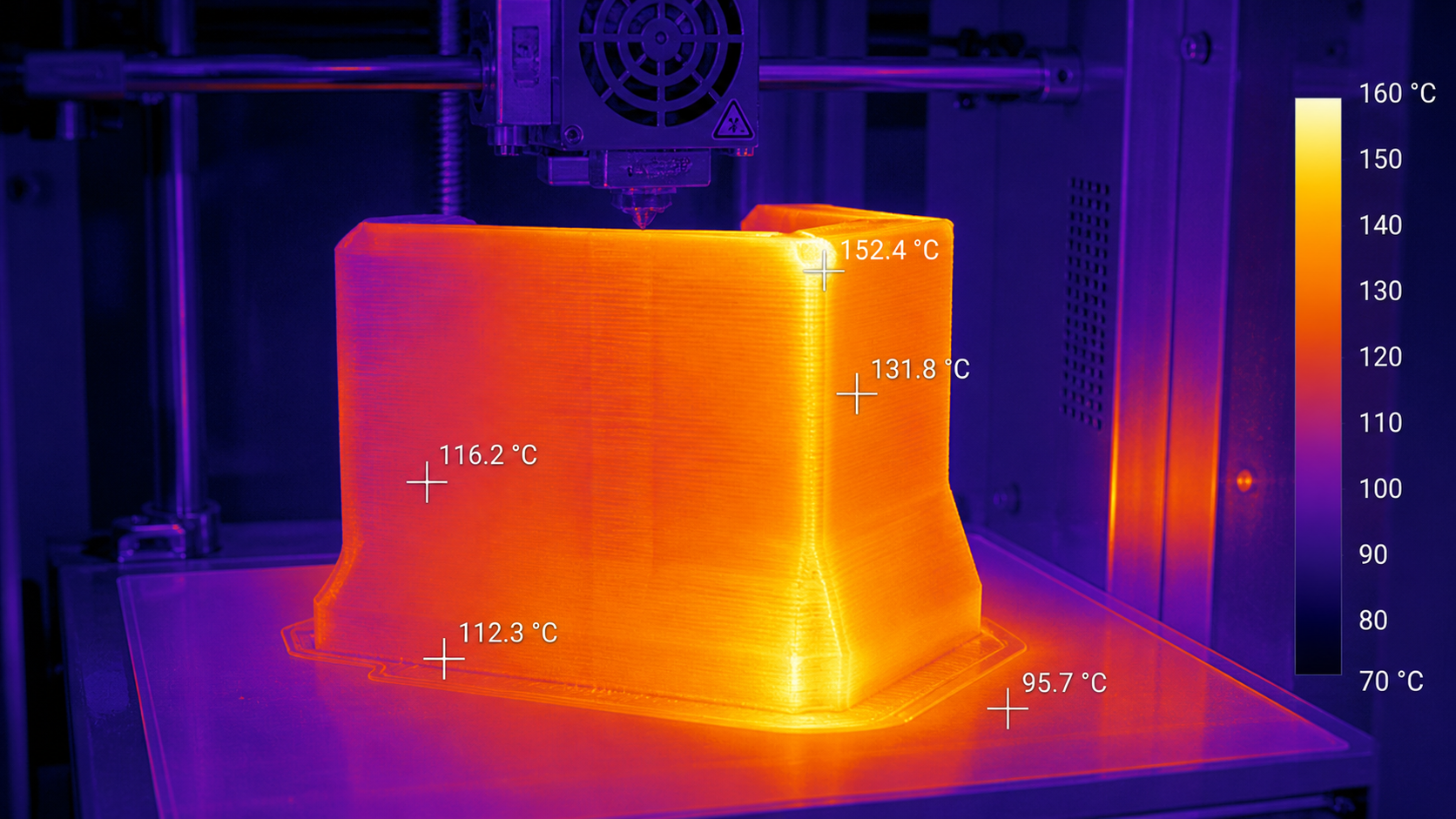
High-performance polymers like PEEK shrink as they cool from their processing temperature. If one part of the print cools much faster than another, the differential shrinkage builds up immense internal stress. This stress is what pulls the part up off the build plate or causes layers to crack. The goal is to keep the entire part at a uniform temperature, just below its glass transition point, throughout the entire print. By measuring these cooling rates directly, we can identify the root cause of the failures. For instance, a part surface near a poorly sealed door will cool much faster than a surface facing the main chamber heater. This information is critical for troubleshooting. It helps us decide if we need to improve the printer's insulation, add internal baffles to redirect airflow, or simply avoid printing in certain problematic areas of the build chamber.
Holding Other Settings Constant During Chamber Trials?
You adjust the chamber temperature, and the print quality changes. But was it really the chamber temperature? Or was it another setting you changed at the same time?
To properly test the effect of chamber temperature, you must isolate it as the only variable. Use the exact same G-code file for every test print. This ensures that nozzle temperature, print speed, filament batch, and part location remain identical across all trials.
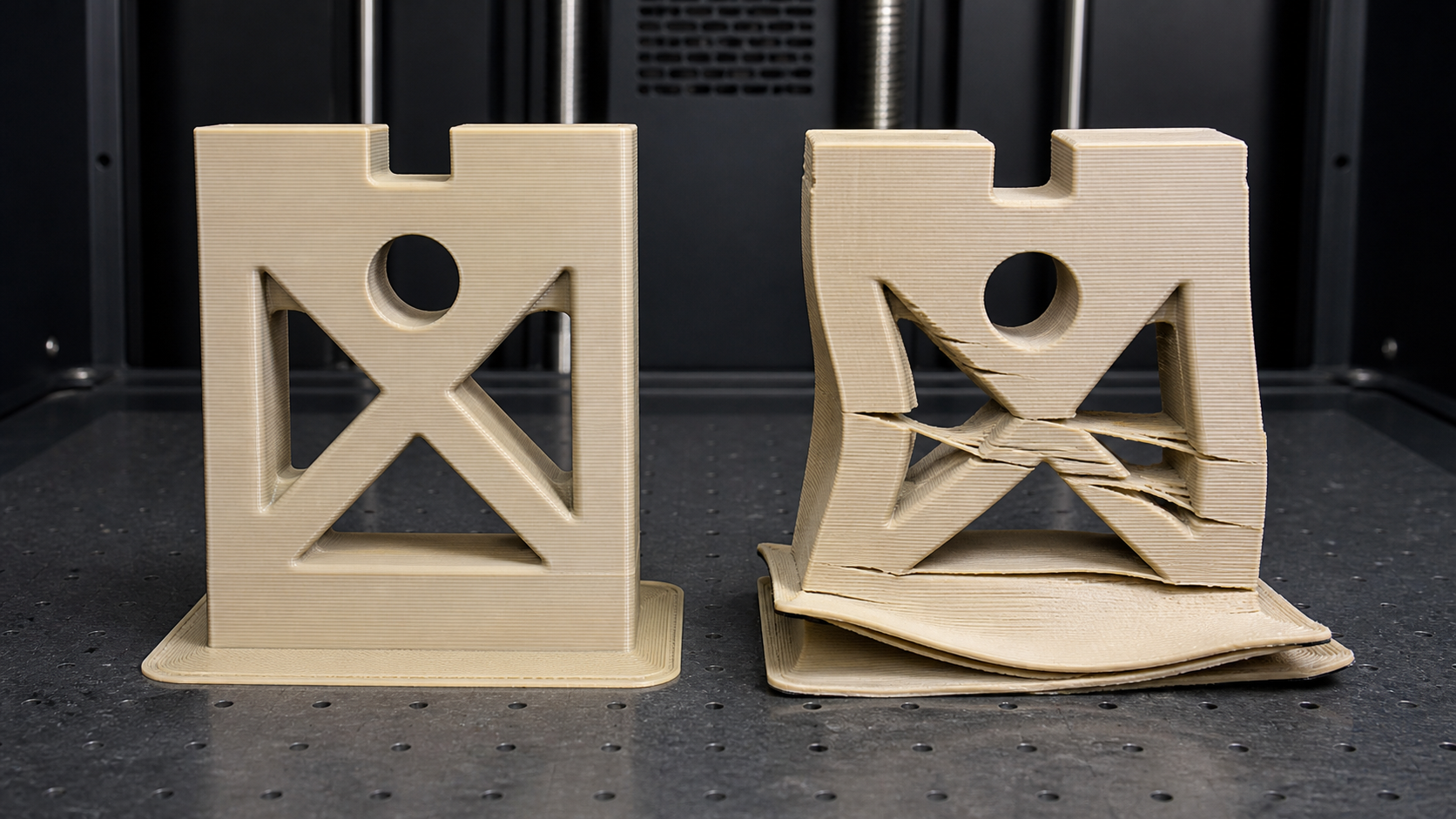
When troubleshooting, it's easy to fall into the trap of changing multiple settings at once. This makes it impossible to know which change had which effect. To conduct a meaningful chamber trial, we follow a strict one-variable-at-a-time methodology. We would start by slicing a test model with our best-known settings for PEEK. Then, we would print that exact G-code file multiple times, changing only the chamber temperature setpoint in small, controlled steps (e.g., 110°C, 115°C, 120°C). By keeping everything else the same—from the spool of filament to the preparation of the build surface—any difference in the final prints can be attributed directly to the change in chamber temperature. This systematic approach removes guesswork from the process. It allows us to build a reliable "process window" and understand exactly how this critical parameter affects part quality, adhesion, and dimensional accuracy for our specific machine and material.
Qualifying the Usable Region of the Printer?
The printer specifications boast a large build volume. Yet, when you try to print a large PEEK part that uses that full area, it consistently fails near the edges.
To qualify the usable region, you must empirically test it. Print an array of identical, warp-sensitive test parts across the entire build plate. The areas where the parts print successfully without warping define the true, reliable build volume for that material on that specific machine.
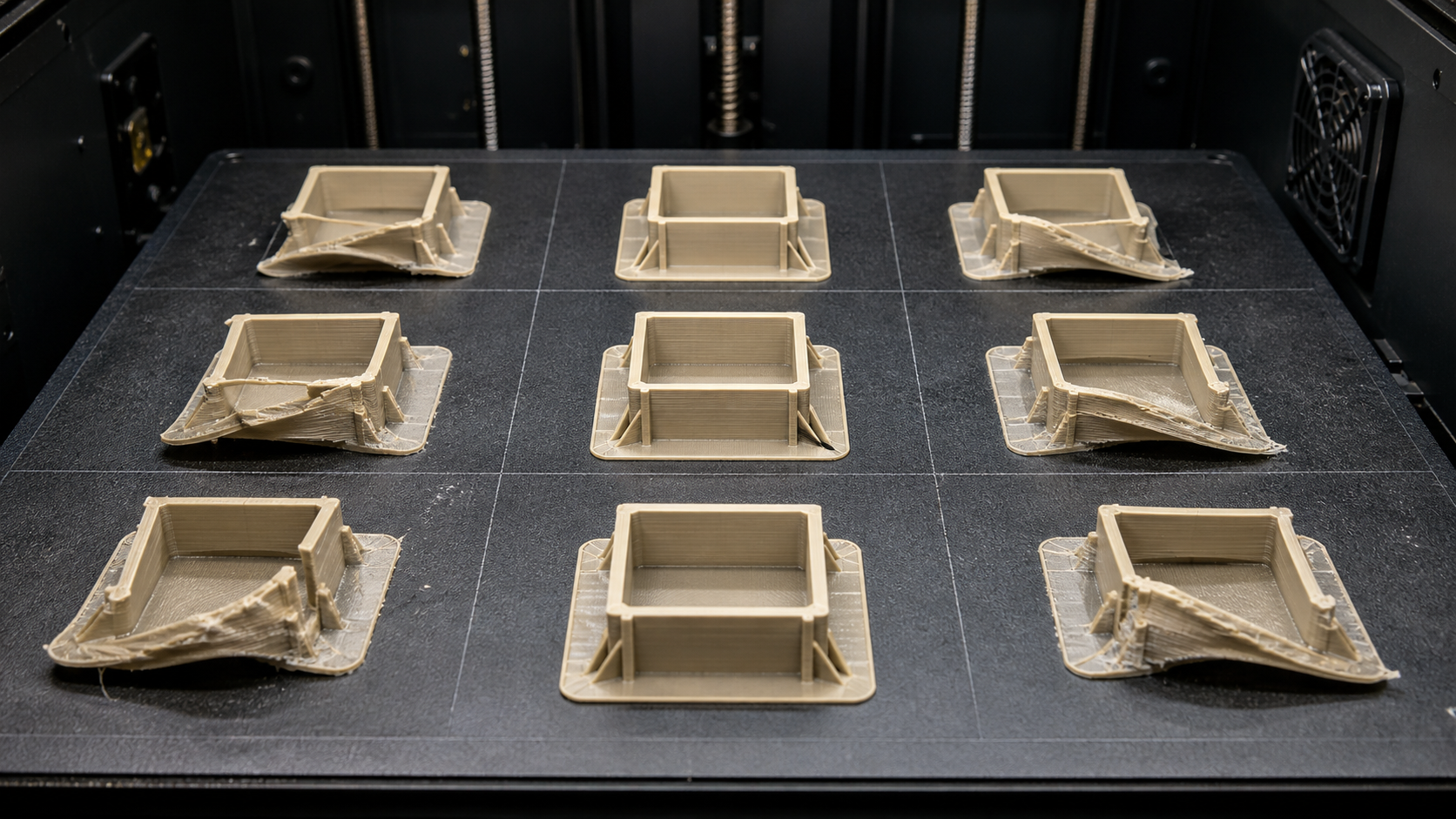
The advertised build volume is often just the maximum travel of the print head. It is not a guarantee of a thermally stable environment over that entire area. For demanding materials like PEEK, the actual usable volume is often much smaller. Based on our thermal mapping data, we already know where the cold spots are. The qualification step confirms these findings with real prints. We would design a standard test object, perhaps a tall rectangle with sharp corners, which is very sensitive to warping. Then, we would place nine of these objects on the build plate—one in the center, one in each corner, and one in the middle of each edge. After running the print, the results provide a clear, visual map of the printer's capabilities. The successful parts in the center define the qualified "safe zone" for critical PEEK components. This evidence-based process prevents future failures and wasted material by ensuring we only print within the region we have proven to be reliable.
Conclusion
Systematic investigation of the chamber environment is essential for PEEK printing success. Use data from thermal mapping and controlled trials to qualify your process and achieve reliable, high-performance parts.