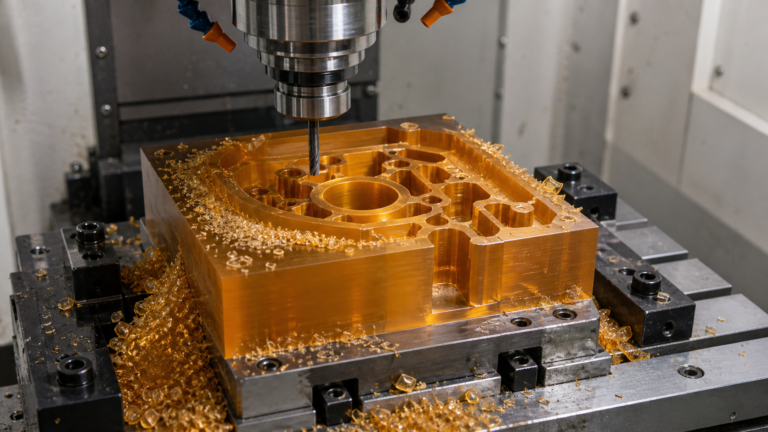
PEEK Mold Modifications: How Do You Record the Configuration That Was Qualified?
Your multi-cavity PEEK mold was qualified, but now a cavity is damaged. You block it off and keep running. Are the parts still qualified? This is a serious configuration management problem.
Treat any change to the number of active cavities as a new mold configuration that requires its own process settings and qualification records. This prevents using incorrect parameters and ensures part consistency, especially with high-temperature materials like PEEK.
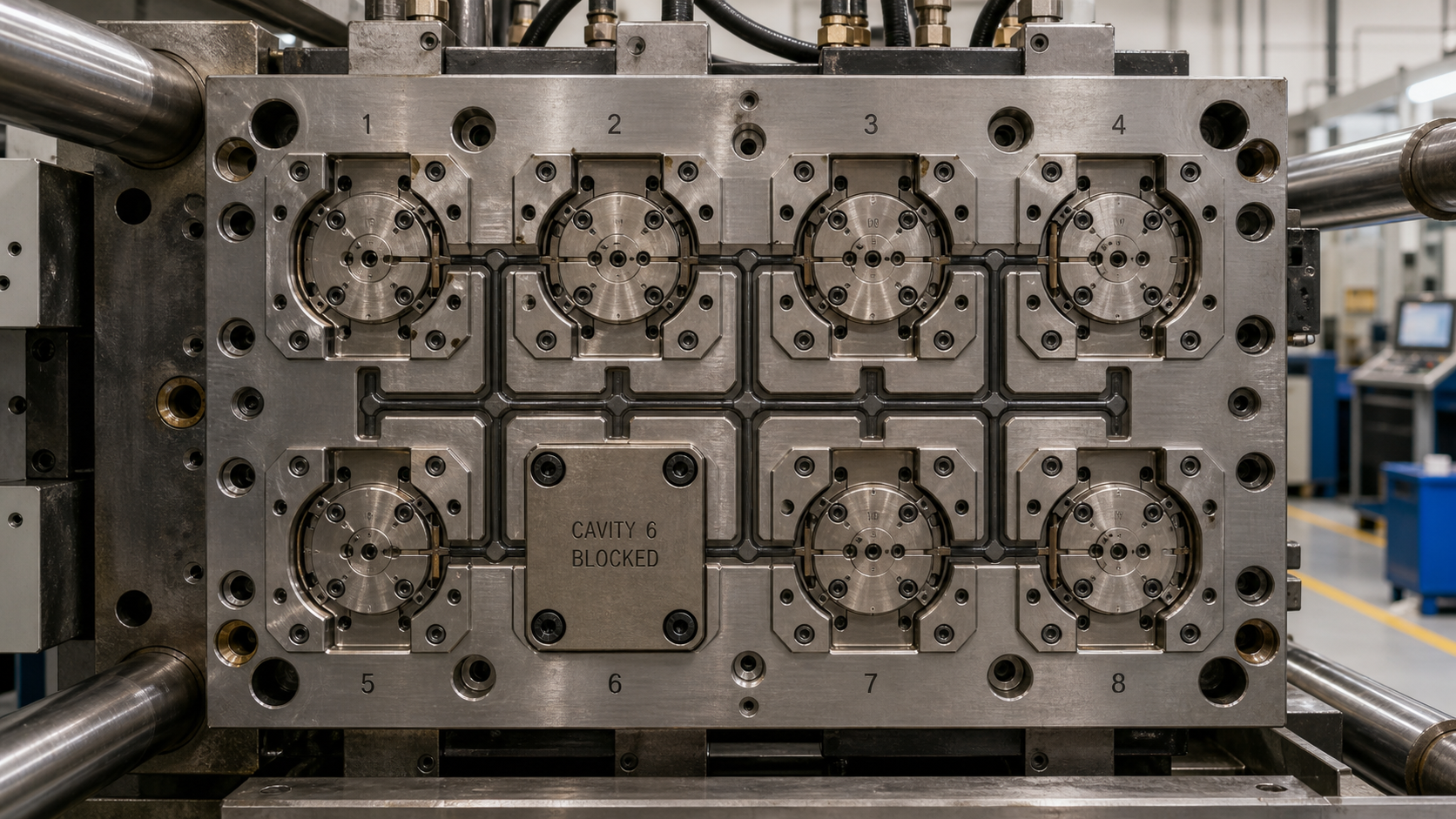
When we work with high-performance polymers like PEEK, the processing window is narrow and the material is expensive. I've seen teams run into trouble after modifying a tool. They might block a gate on a multi-cavity mold to deal with a damaged cavity, thinking it's a minor change. But for a material as sensitive as PEEK, this modification fundamentally changes the tool. The flow dynamics, pressure requirements, and thermal balance are all different now. If you don't document this new state and link it to a specific set of process parameters and qualification results, you are setting yourself up for failure. The parts you make with the modified tool may not be the same as the parts you originally qualified. This post explores how to manage these changes properly to maintain part quality and traceability.
Recording Which Cavities Were Active During Qualification?
You approved first articles from an eight-cavity mold. Six months later, you receive parts with flash and dimensional issues. The molder says nothing changed, but one cavity was blocked two months ago.
Create a formal "cavity map" for each qualified configuration. This document visually shows which cavities are active and which are blocked. It becomes part of the official record, alongside process sheets and inspection reports for that specific setup.
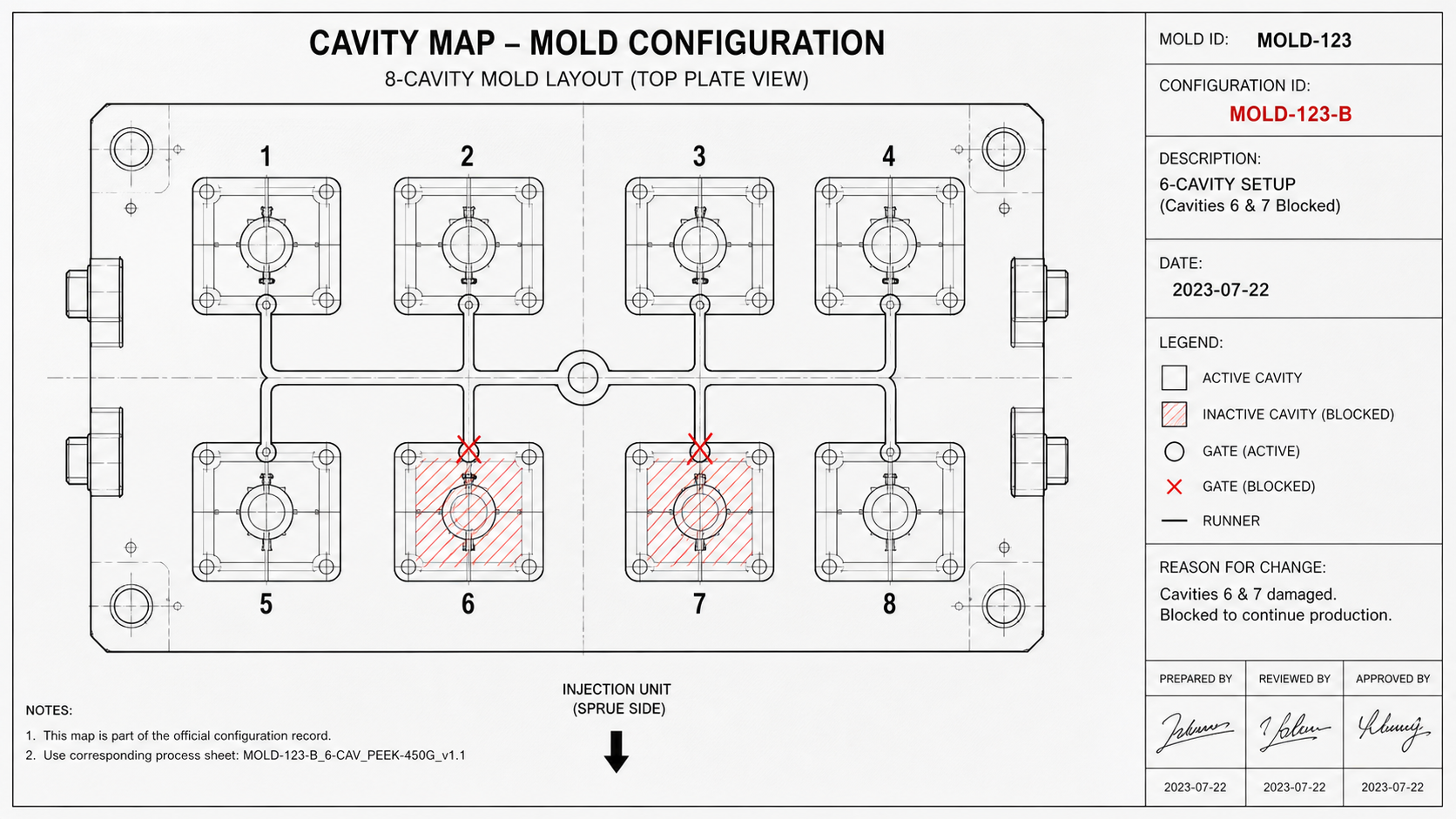
We have to move beyond informal methods. Simply telling an operator to "not use cavity 6" is not enough. For materials like PEEK, processed at very high temperatures (tool temperatures can be 175-200°C), temporary gate-blocking methods often fail or create new problems. A screw or a simple plug might work for polypropylene, but it can create thermal sinks or leak under the immense pressure and heat of PEEK molding. The solution is to treat the mold state as a formal configuration. I remember a project where intermittent issues with a medical component were finally traced back to an undocumented cavity blockage. We now insist on creating a clear record for every setup.
The Importance of a Formal Cavity Map
A cavity map is more than just a note. It's a controlled document. It should clearly identify the mold, the date, and the specific configuration number. It provides an unambiguous record of the flow path that was validated.
| Configuration ID | Date | Active Cavities | Inactive Cavities | Reason for Change |
|---|---|---|---|---|
| MOLD-123-A | 2023-01-15 | 1, 2, 3, 4, 5, 6, 7, 8 | None | Initial Qualification |
| MOLD-123-B | 2023-07-22 | 1, 2, 3, 4, 5, 7, 8 | 6 | Cavity 6 damaged |
Why This Matters for PEEK
With PEEK, melt flow and pressure drops are highly sensitive to the runner layout. Blocking one cavity in a balanced "H" pattern runner system completely unbalances it. The remaining cavities will fill differently. Some may fill faster and flash, while others may fill slower and have short shots or poor weld lines. By formally recording the active cavity map, you create an evidence-based link between a physical tool state and the quality of the parts it produces. It makes troubleshooting logical instead of a guessing game.
Linking Process Settings to the Modified Runner Layout?
An operator starts a job using the standard process sheet. But the mold was modified last week, and two cavities are now blocked. The old settings cause massive flash and material degradation.
Each unique cavity map must have its own dedicated, validated process setting sheet. The sheet's title should clearly reference the mold and its specific configuration ID (e.g., "MOLD-123-B, 6-Cavity Setup") to prevent mix-ups.
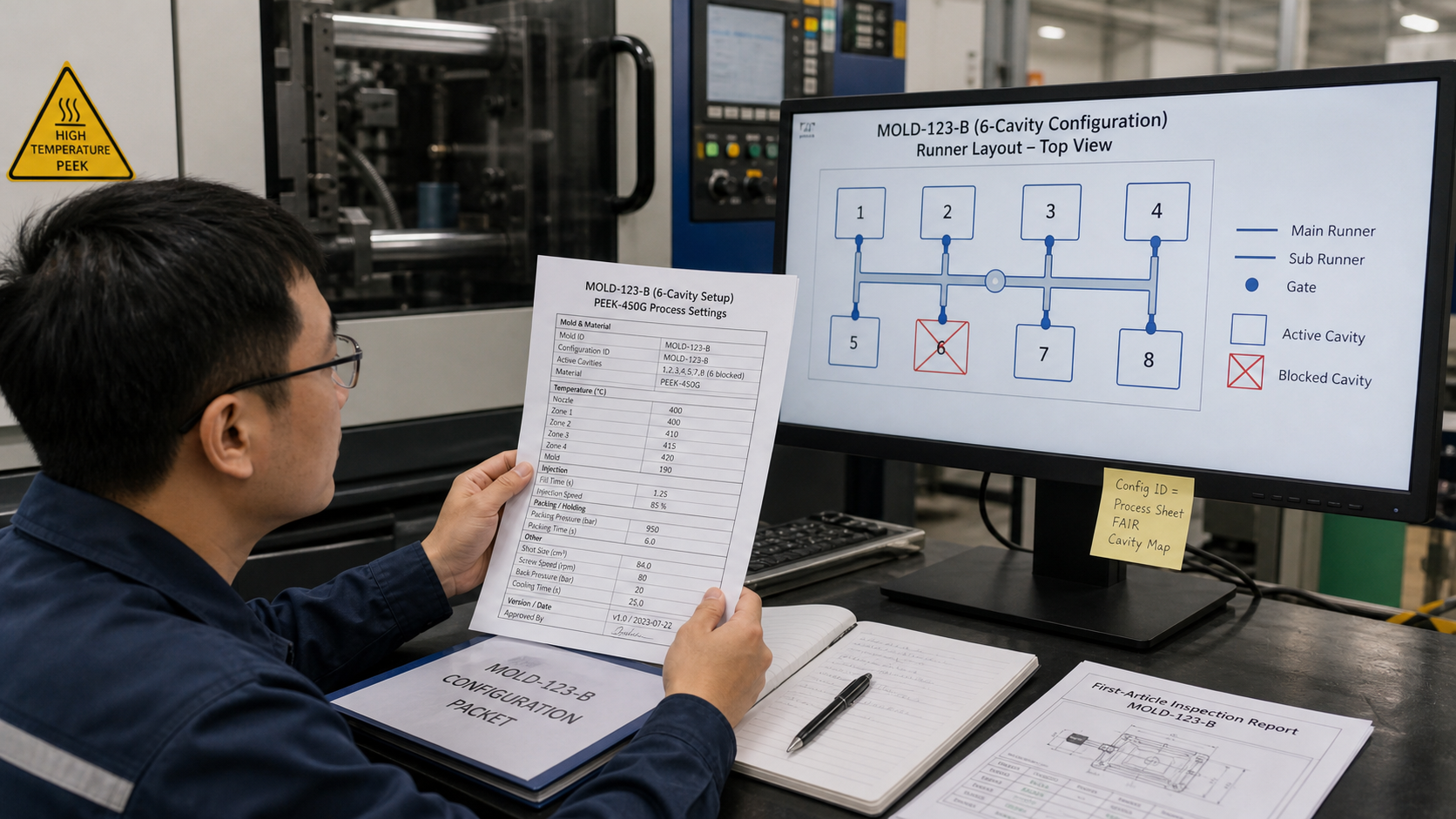
When you block a runner, you change the entire system. The total shot volume decreases. The pressure required to fill the remaining cavities changes. The hold time and pressure might need adjustment. Using the original process settings is not just lazy; it's technically incorrect. I've seen expensive PEEK wasted because a team didn't develop and validate new settings for a modified tool. They assumed the original settings would be "close enough." With PEEK, "close enough" often means "out of spec." The high melt viscosity and rapid freeze-off of PEEK mean that small changes in flow path have a big impact. A formal link between the configuration and the process sheet is the only way to ensure repeatability. This link must be explicit. We write the configuration ID directly on the setup sheet and store them together.
Developing a new process sheet for each configuration takes time, but it's essential. This involves a new process development cycle, even if it's an abbreviated one. You need to re-establish fill time, shot size, transfer position, and holding pressure profiles. You are essentially qualifying a new process for a new tool. The goal is to produce parts from the 6-cavity configuration that are identical to the parts from the original 8-cavity tool. This can only happen if you optimize the process for the new reality of the modified runner system. Failing to do this introduces an uncontrolled variable that makes consistent production impossible.
Keeping First-Article Results With the Configuration Record?
A quality issue arises, and you ask for the qualification data. You get the first-article inspection from the original 8-cavity tool. But the parts in question came from the modified 6-cavity setup.
The First-Article Inspection Report (FAIR) must be filed with the specific configuration it qualifies. This creates a complete "qualification packet": the cavity map, the validated process sheet, and the dimensional/visual results proving it works.
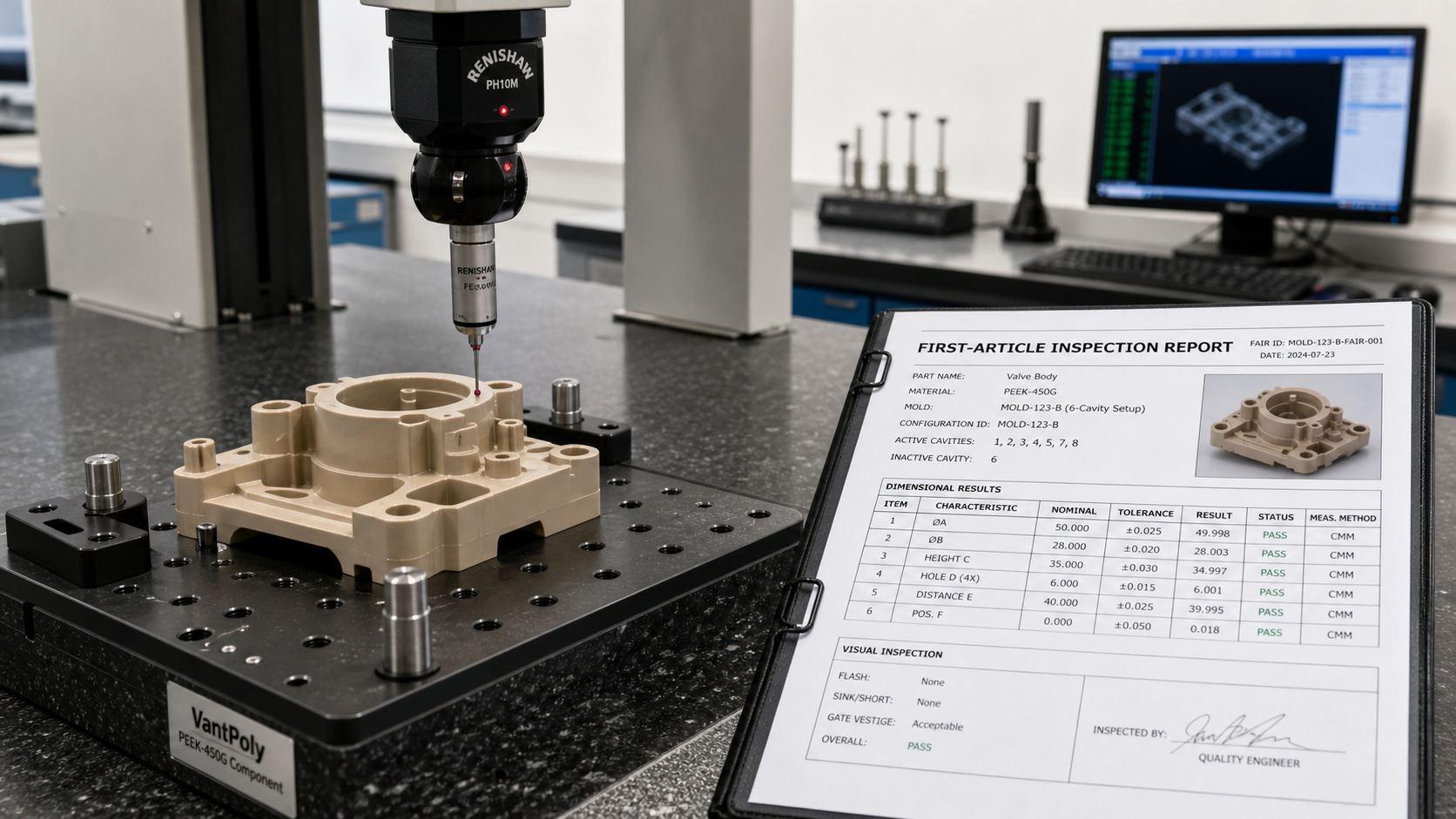
The first-article inspection is your proof that a specific combination of tooling, material, and process parameters can produce a good part. If you change any of those variables, that proof is no longer valid. I once had a debate with a supplier who insisted their parts were fine because the "tool" was qualified. But they couldn't produce the first-article data for the modified tool state they were currently running. This creates a huge traceability gap. The solution is to build a configuration control packet. This packet contains all the evidence for a single, qualified state. It's not just paperwork; it's the foundation of your process control. When a question comes up, you can pull the exact packet for the configuration that was running when the parts were made.
This packet becomes the master record. Any future runs using that configuration are compared against this baseline. For example, if you run MOLD-123-B again in six months, the operator uses the process sheet from that packet. The quality inspector compares the new parts against the FAIR from that same packet. This creates a closed-loop system. It prevents "configuration drift," where small, undocumented changes accumulate over time until the process is no longer stable or capable. Keeping these records linked makes audits easier and problem-solving much faster. It transforms configuration control from a vague idea into a concrete, evidence-based practice.
Preventing Settings From One Tool State Being Used on Another?
It’s Monday morning. The weekend operator couldn't find the setup sheet for the modified tool, so he used the original one. Now you have a full bin of scrap PEEK parts.
Use a robust naming convention for process files that includes the configuration ID (MOLD-123-B). Better yet, use system controls like barcode scanners on the mold that automatically load the correct, corresponding process parameters on the machine.
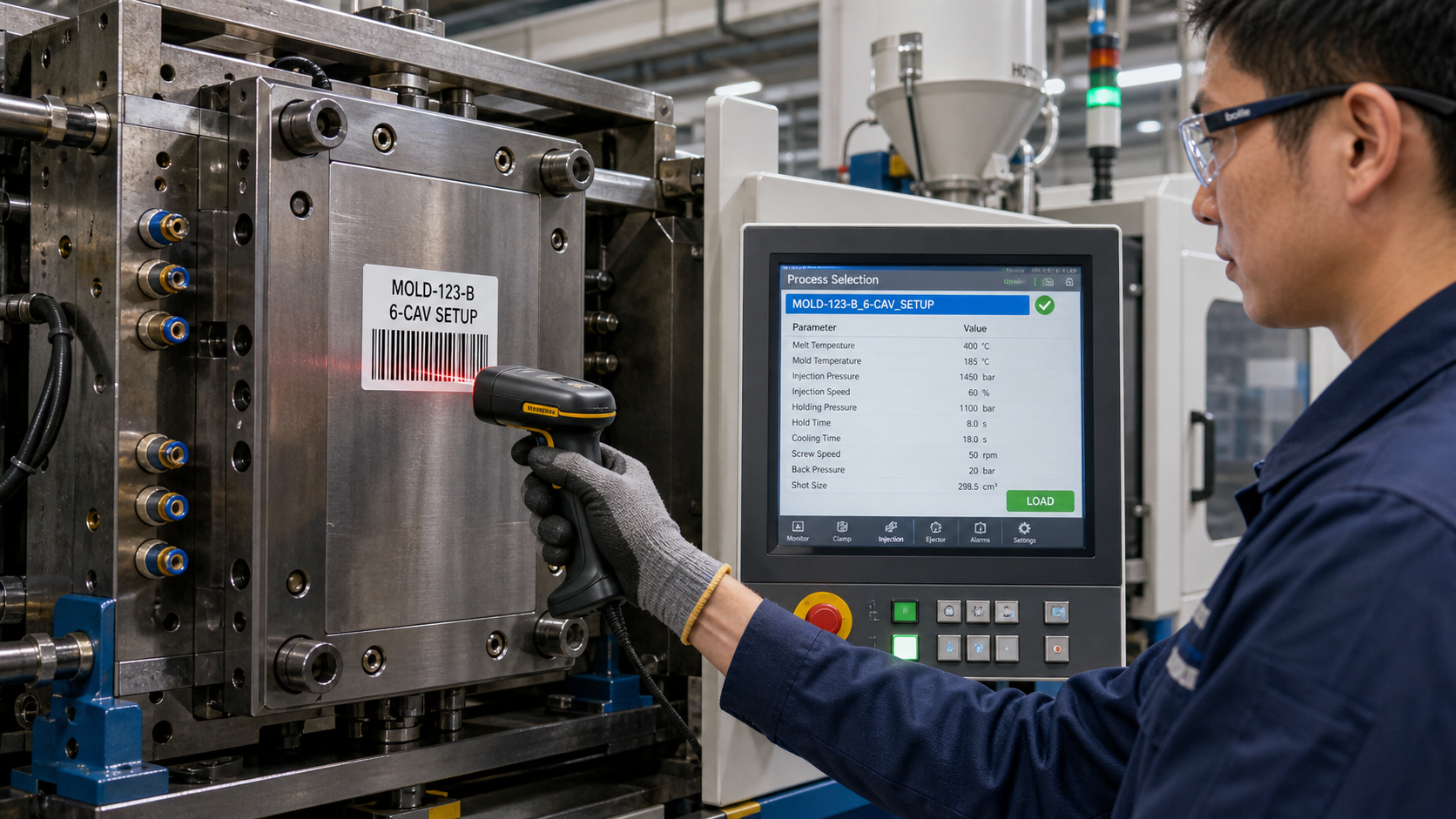
Human error is inevitable, so we need systems to prevent it. Relying on operators to always pick the right piece of paper is risky, especially on a busy production floor. A simple mistake can cost thousands of dollars in wasted PEEK and machine time. The first line of defense is a clear naming system for your saved process files. "PEEK Part Final" is a bad name. "MOLD-123-B_6-CAV_PEEK-450G_v1.1" is a good name. It is unambiguous and links directly to a specific configuration. On a project involving critical aerospace components, we implemented a simple system to lock this down.
The best solution is to take the decision out of human hands as much as possible. Many modern molding machines can be integrated with scanners. We can put a unique barcode or QR code on the mold for each configuration state. For instance, after blocking cavity 6, we would attach the "MOLD-123-B" barcode to the tool. When the technician scans the mold, the machine's controller automatically loads the corresponding process file. This system makes it nearly impossible to load the 8-cavity settings for the 6-cavity tool. It creates a direct, physical link between the tool in the press and the process settings used to run it, providing the highest level of assurance against costly configuration errors.
Conclusion
Record every mold configuration as a unique tool. Link it to its own process settings and first-article results to ensure repeatable quality, especially when molding high-performance polymers like PEEK.